|
|
Experts in Office Suite Applications t Microsoft Office t OpenOffice t WordPerfect Office |
Office Correspondence Templates
|
“Using Word Automation templates is much more efficient and reliable than having all of our users learn Microsoft’s features in Microsoft Word. Not only that, it enforces standard document format so we don’t confuse each other with inconsistencies." Office of the County Counsel San Mateo County, California |
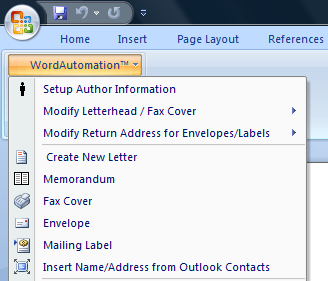
Word Letter Templates for Law Offices, Medical Offices, Government and General Business Use Word Automation's Letter and Correspondence Templates help guarantee consistent document production across multiple office locations and environments:
Download Trial Version of Word Automation Templates
|
||
|
Download Trial Version of Word Automation Templates
Download Letter Templates Feature Guide
Purchase Word Automation Templates
Download Trial Version of Word Automation Templates
Purchase Word Automation Templates
|
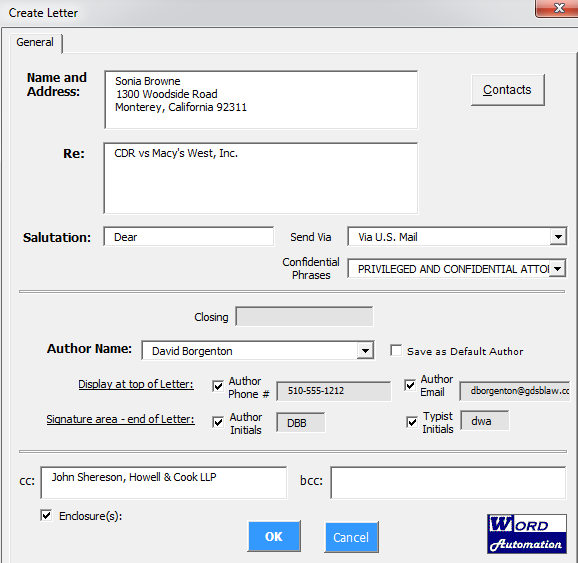
How Word Automation Letter Templates Work Use the Correspondence Wizard to link a contact and address from Outlook or other contact/address books, select author and other letter options:
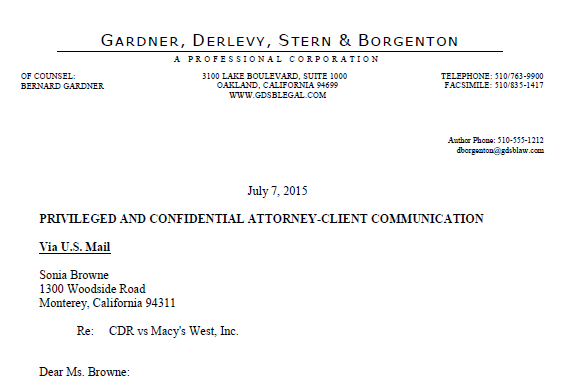
A pre-formatted letter is generated, with appropriate letterhead (letterhead can be customized for individual offices):
Envelope template example:
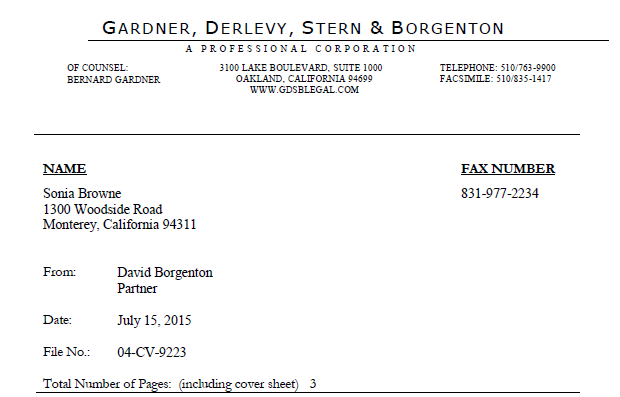
Letter, Memo, Fax, & Avery Label Templates are customizable for any office setting and include a toolbar for easy formatting. Word Automation Templates are compatible with popular document management applications such as WORLDOX and Hummingbird. To request additional information, please contact Word Automation. Download Trial Version of Word Automation Templates
Why Use Letter Templates? Many people think a template is simply a “master” file, providing standard format and content (text, graphics, formulas, etc.). The generic templates provided with Office Suite packages usually do not meet the needs of an organization that has consistent document procedures and generates a high volume of information. Custom templates specific to teams, departments or an entire organization, can be available on a network so that many or all users can access them. Encourage Good Habits, Discourage Bad Habits In some environments users open an existing file and “recycle” it to produce a new file. After 20 years of consulting in busy legal and corporate offices, we have concluded that this is one of the worst habits users can develop. It should be strongly discouraged by all who have influence and power in an organization. To produce “clean” files efficiently, custom templates should be available for appropriate tasks. If needed, content from existing files can be copied and pasted into the new file. Download Trial Version of Word Automation Templates Numbering Tools Word Automation's Numbering Toolbar helps stabilize Word's notoriously difficult and unpredictable numbering feature, eliminating many frustrating hours for users.
|
||
|
|
Forms Library and Form Documents Word Automation offers a convenient method to build a forms library for document assembly, along with development of new forms.
|
||
Copyright © 2003-2008, Word Automation, All Rights Reserved [Letter, Memo, Fax, Avery label Templates for Microsoft Office, OpenOffice,
WordPerfect Office ]